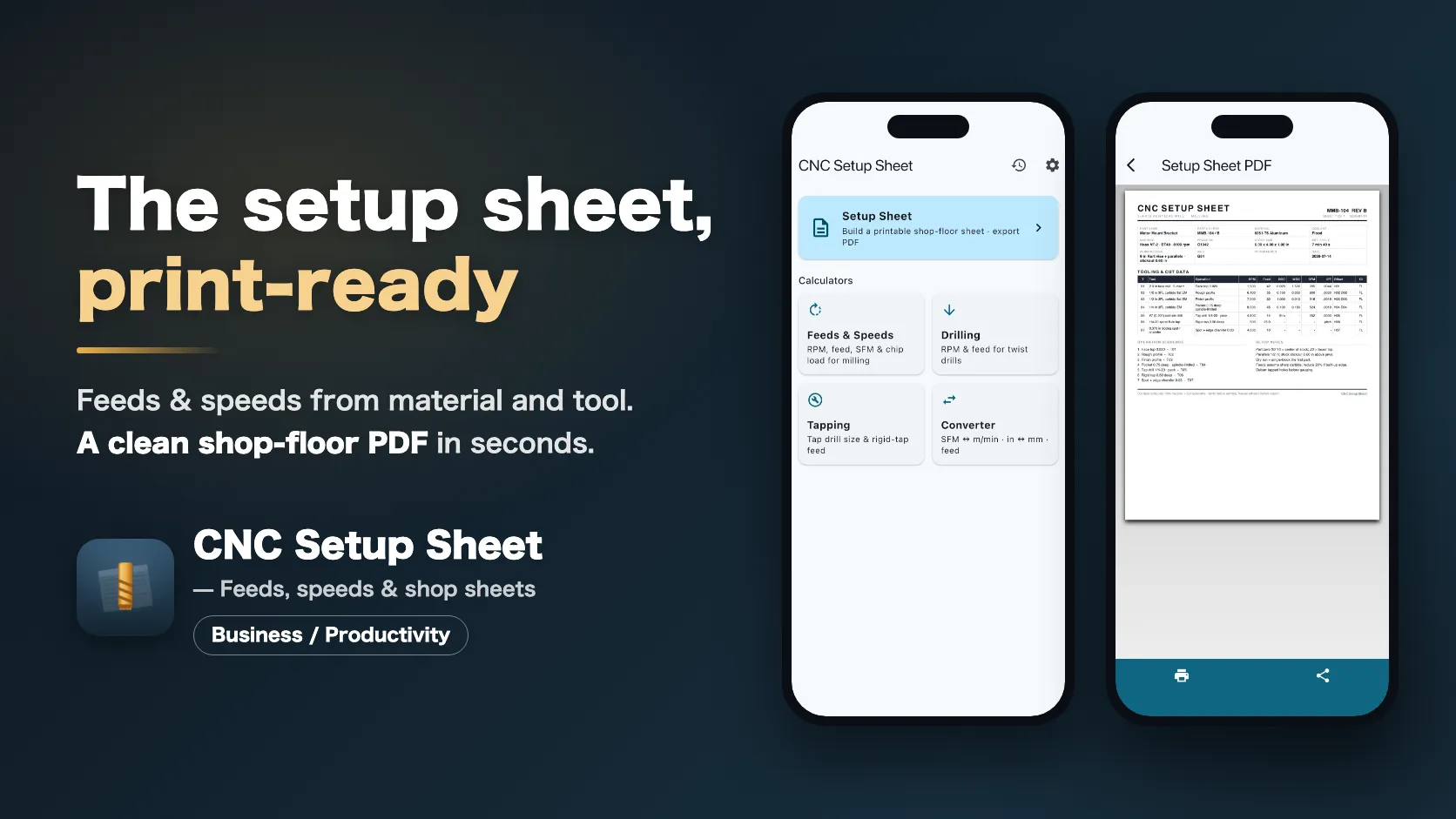


The setup sheet, done in 30 seconds. Enter your material and tools — CNC Setup Sheet computes spindle speed, feed rate, surface speed and chip load, then lays everything out as a clean, printable shop-floor setup sheet you can hand to the machine.
Sound familiar?
- You keep re-deriving RPM and feed from an SFM chart, a calculator, and scratch paper
- Your cut data live in a notebook, a vendor PDF, and your head — never at the machine when you need them
- Handwritten setup notes disappear between jobs, so the repeat run starts from zero
- The feeds-and-speeds apps you’ve tried want a monthly subscription for a shop calculator
One app, from cut data to a printed sheet
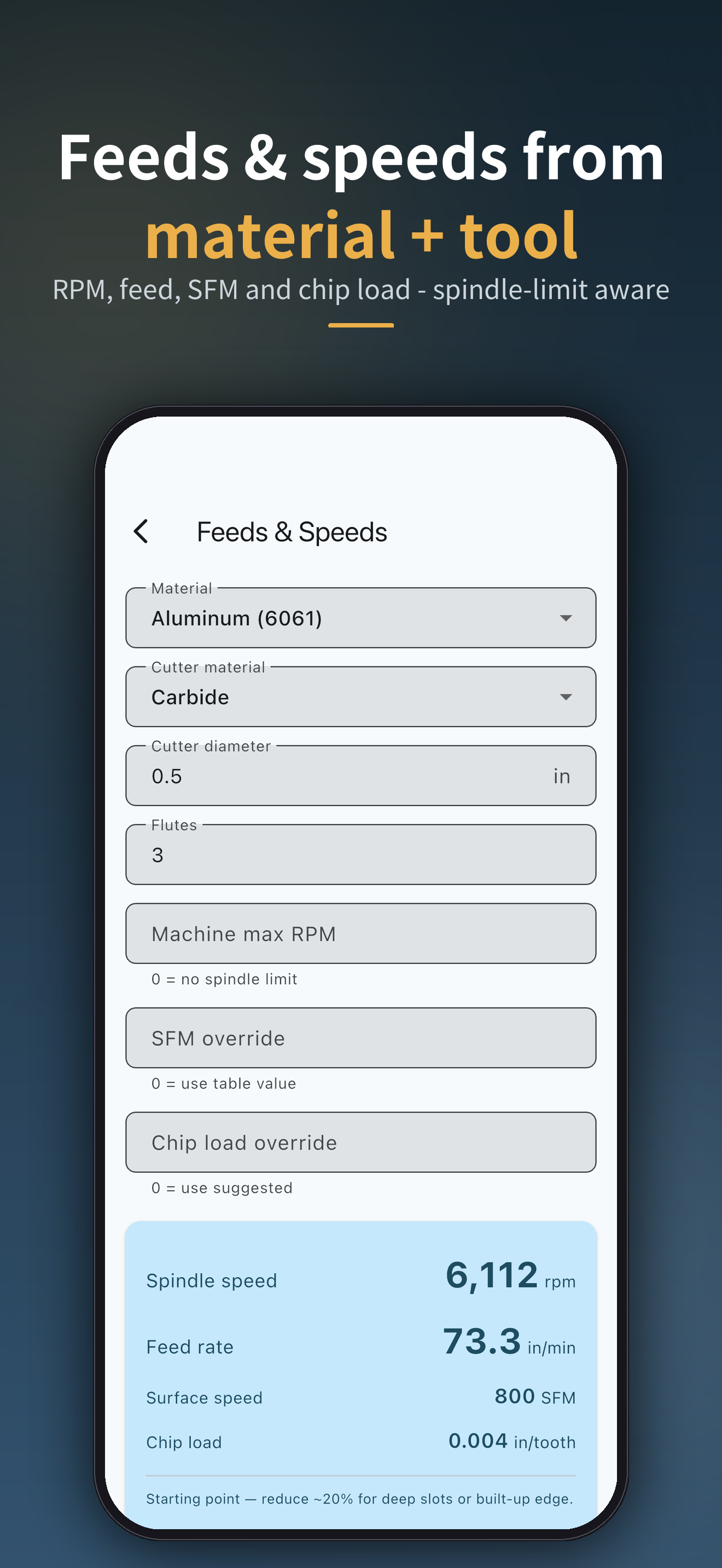
Pick a material, describe the tool, and the numbers are there — spindle RPM (capped to your machine’s limit), feed rate, SFM and chip load. Add your tools to a setup sheet along with the job header, operation sequence and notes, then export a US-Letter PDF you can print, share or email. Every computed value stays editable before you export — the sheet prints what you decide.
How it works
1. Calculate
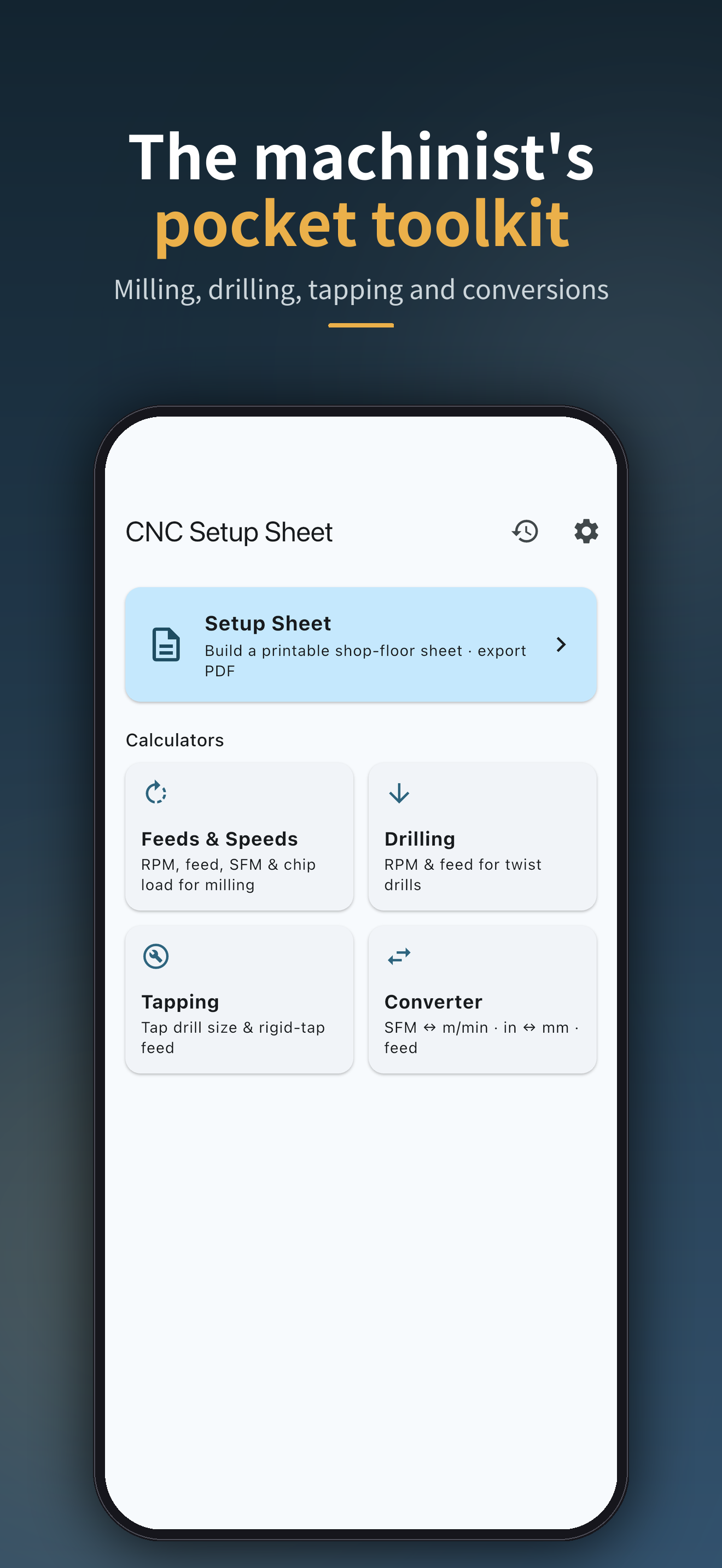
Choose Feeds & Speeds, Drilling, Tapping, or the Converter. Pick a material, enter the tool — diameter, flutes, spindle limit — and read off RPM, feed rate, SFM and chip load.
2. Build the sheet
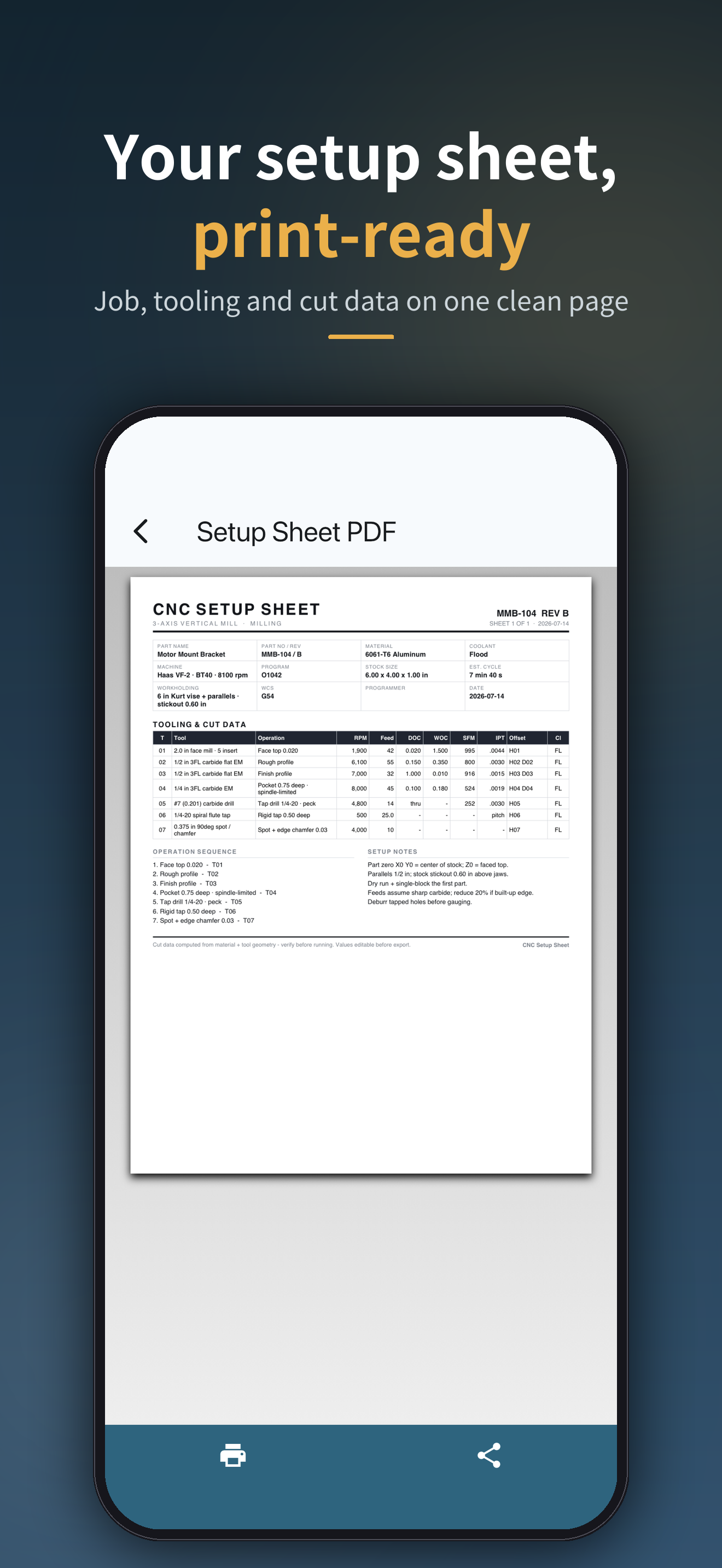
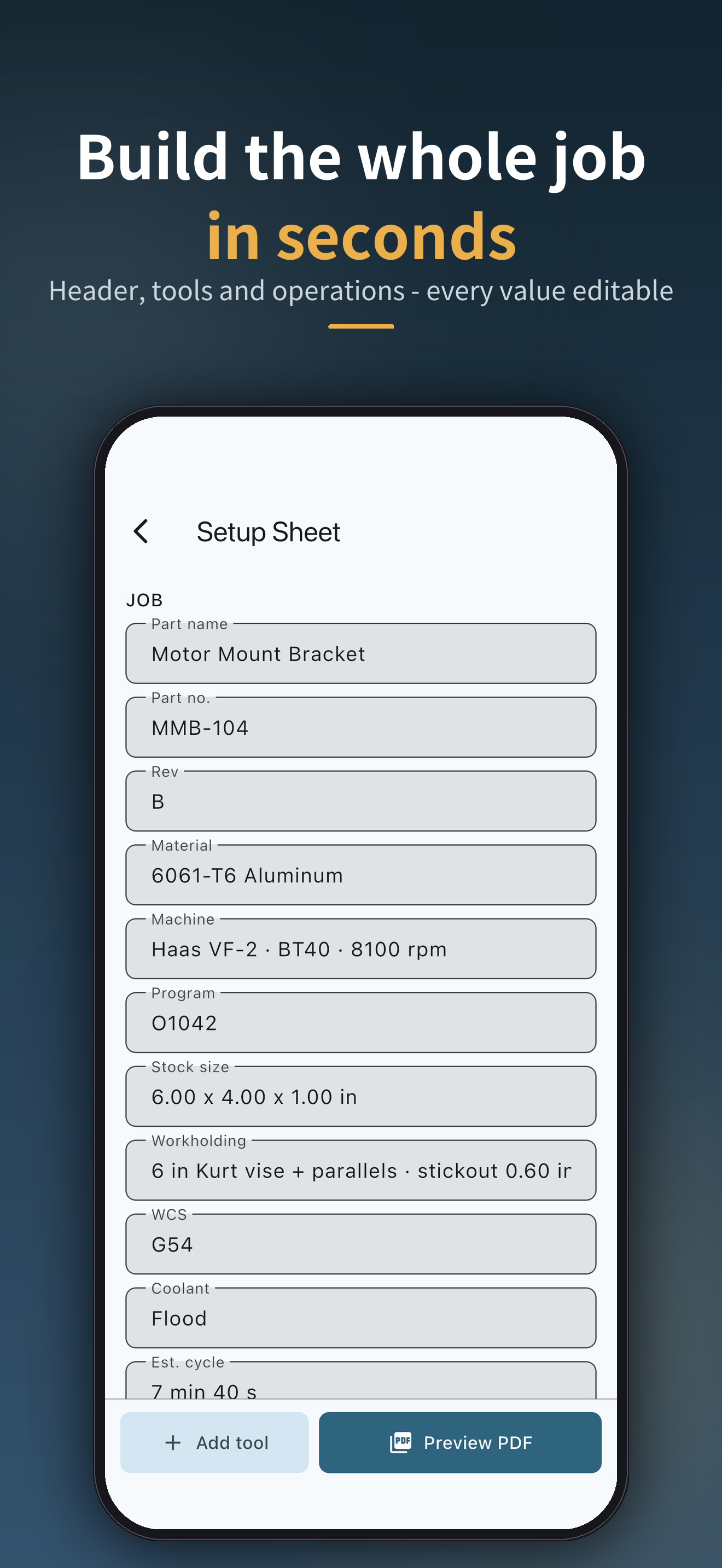
Create a Setup Sheet: job header (part, machine, workholding, WCS, coolant), the tooling and cut data table, operation sequence, and setup notes. Override any number — you own the values.
3. Print and run
Export a clean US-Letter PDF. Hand it to the machine, pin it to the board, or email it to the next shift.
Built for
- CNC machinists and job-shop programmers — a shop-floor sheet the next shift can actually read
- Home-shop and garage machinists — sensible starting numbers without a wall chart
- Makers running desktop mills — feeds and speeds without the spreadsheet
Why CNC Setup Sheet
- The sheet is the product — not just a calculator: a printable, shareable setup document
- Four calculators in one — Feeds & Speeds, Drilling (with peck guidance), Tapping (UNC/UNF and metric tap drills), and a unit Converter
- Conservative starting values — SFM and chip-load presets for aluminum, steels, stainless, cast iron, titanium, plastics and more, compiled from common shop references
- You own the numbers — every computed value can be overridden before it goes on the sheet
- Buy once — Pro is a single US$9.99 purchase. No subscription, ever
- Offline and private — no account, no cloud; your data stays on your device
Main features
- Feeds & Speeds — RPM, feed rate, SFM and chip load for milling, from material + cutter + flutes; spindle-limit aware
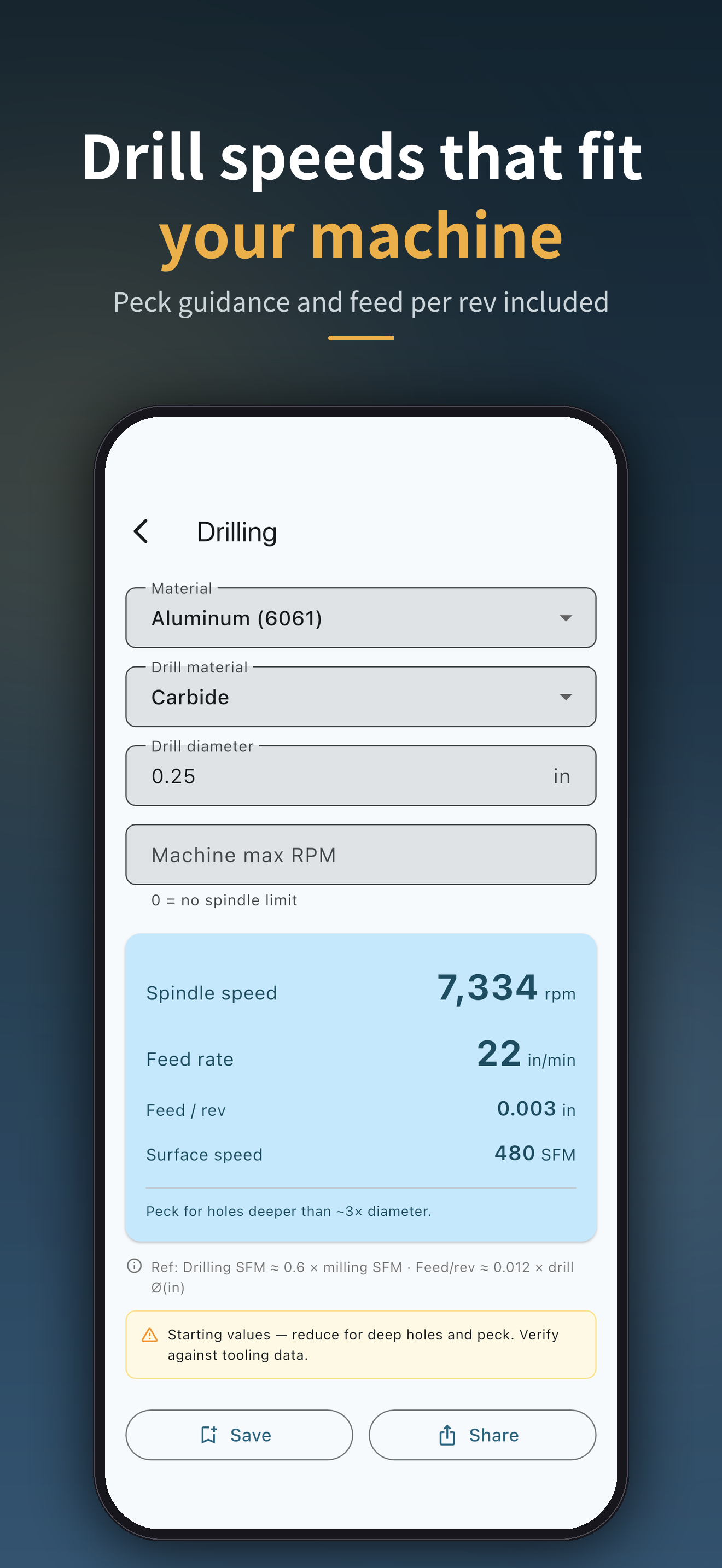
- Drilling — speeds and feeds for twist drills, with peck guidance
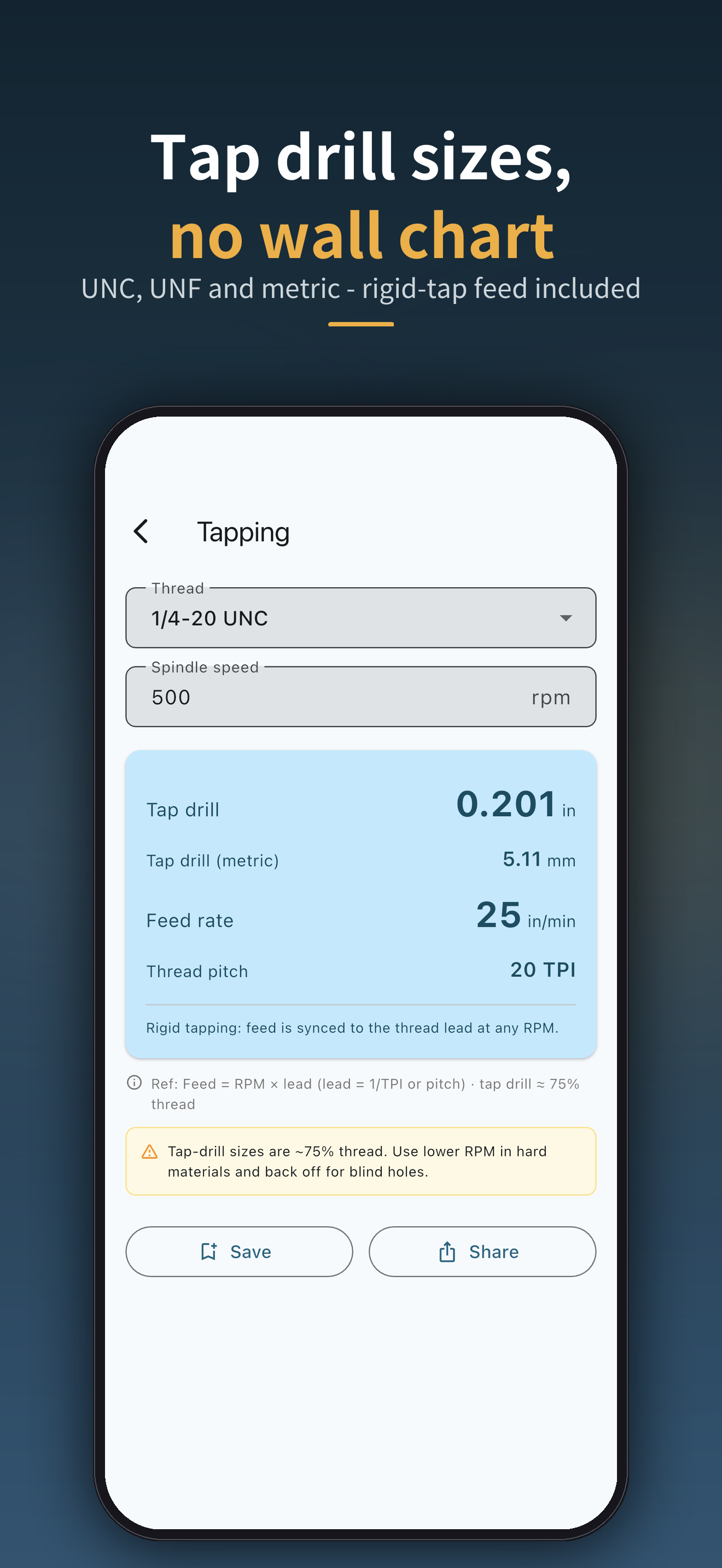
- Tapping — tap drill sizes (UNC/UNF and metric) and rigid-tapping feed synced to thread lead
- Converter — SFM ↔ m/min, inch ↔ mm, feed units
- Setup Sheet PDF — job header (part, machine, workholding, WCS, coolant), tooling & cut data table, operation sequence and setup notes, exported as US-Letter PDF (free version adds a “SAMPLE” watermark; Pro exports clean)
- Calculation history — save your go-to calculations (up to 3 on Free, unlimited with Pro)
- Backup / restore — export everything to a single file and carry it to a new device
- Offline by design — data stays on the device; only anonymous usage stats are sent, and you can turn them off in Settings
Frequently asked questions
Questions about using the app after install — restoring purchases, backups, and more — are covered on the Support & FAQ page.
Q. How much of the app is free? A. Everything is usable for free: all four calculators and the full setup-sheet editor, including PDF preview and sharing. Free PDFs carry a full-page “SAMPLE” watermark and history saves up to 3 calculations. Pro — a one-time US$9.99 purchase — removes the watermark for clean, print-ready sheets and lifts the history limit.
Q. Is it a subscription? A. No. Pro is a one-time purchase. There are no monthly or yearly fees, no account, and no cloud dependency.
Q. Can I trust the numbers? A. Treat them as starting values. The bundled SFM and chip-load presets are conservative figures compiled from common shop references — not your tooling manufacturer’s data. Every value is editable, and you should always verify against your tool manufacturer’s recommendations and your machine’s limits before cutting. (Terms of Service)
Q. Does it need an account or an internet connection? A. No. The app works fully offline and requires no sign-up. Calculations and setup sheets are stored only on your device. (Privacy Policy)
Get it on the App Store
CNC Setup Sheet is available on the App Store (iPhone and iPad, iOS 15.0 or later).
Free download · CNC Setup Sheet Pro US$9.99 (one-time purchase, no subscription)